The Projects pane
Audience. Daily user.
When to read this. You want the day-to-day operations of the primary pane — how items are grouped, how to change a status, how the create modal works — gathered in one place.
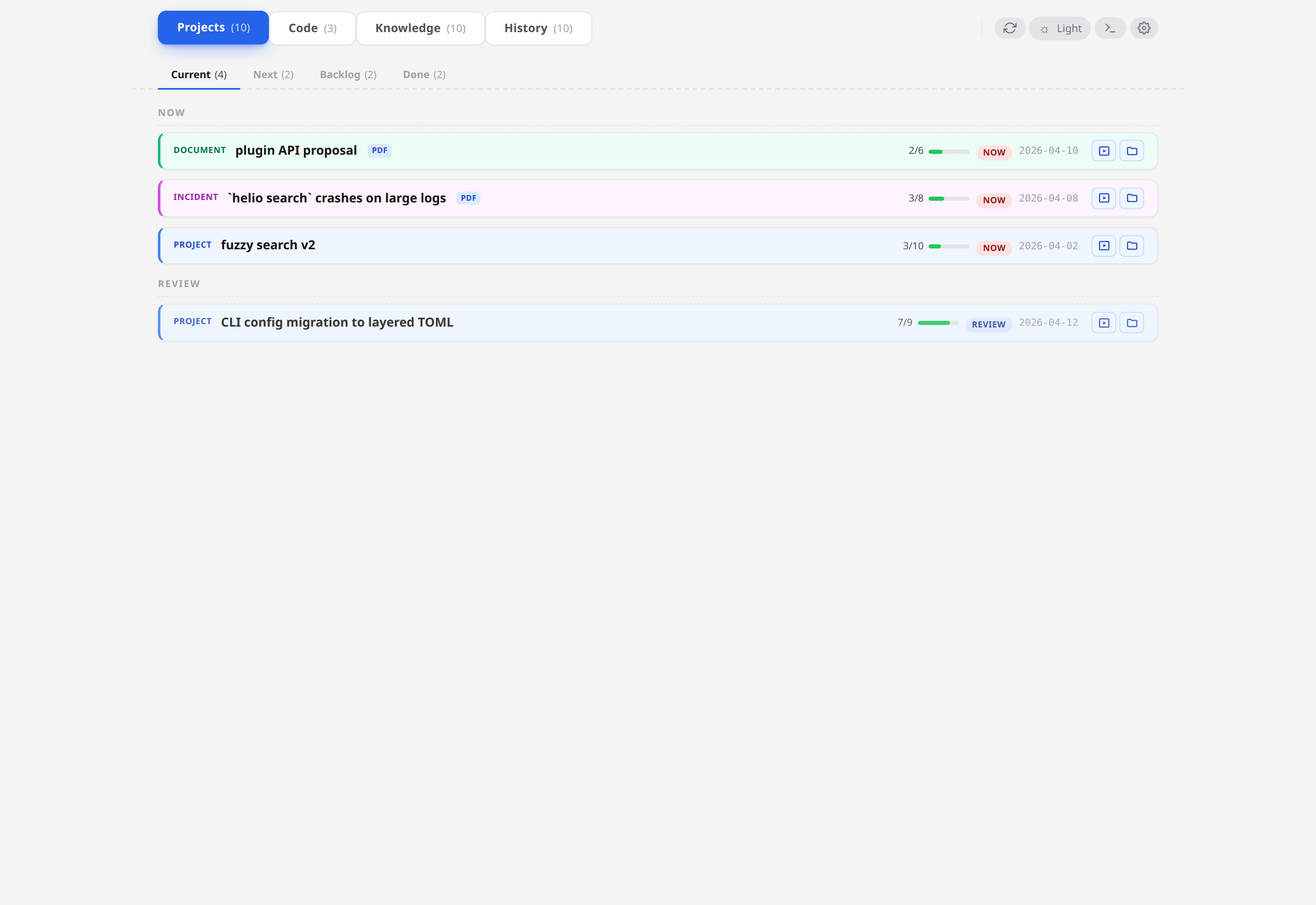
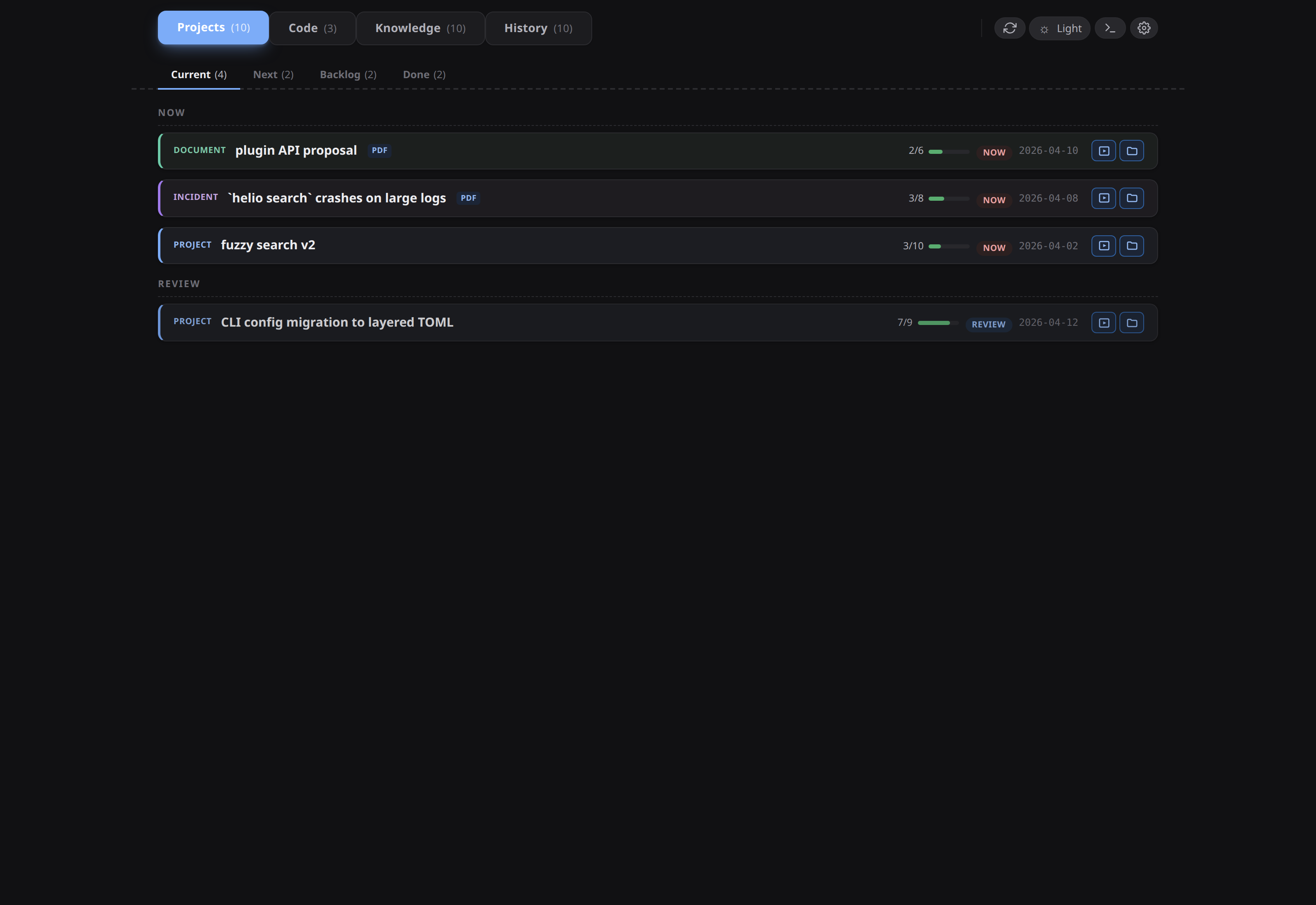
The Projects pane is the left-hand band that renders every item in your conception (projects/**/*/README.md), one card per item, grouped by status. The rail's Projects item toggles only this band. The right working slot independently switches among Code, Knowledge, Resources, and Skills, with an active click hiding it; Terminal independently toggles the bottom band. Visibility persists across restarts. Automations, Logs, and Diagnostics open full-window overlays from the top bar beside Settings. The former aggregate Deliverables pane is retired; item-level deliverables remain in project previews.
The status stack
Items form one scrolling stack of status sections, in the fixed order now, review, later, backlog, done — plus a trailing ? section for any item whose status: isn't one of those five (a typo like wip lands there, card sprouting a red !? <value> badge so it stands out until corrected).
Two sections start collapsed:
backlog— the default for an item with nostatus:line at all.done— subdivided into a "closed in the last 7 days" band at the top plus one collapsible subgroup per month, so a long history stays browsable without becoming a wall of cards.
The status values and their meanings are defined in Status model.
What a card carries
Two head rows, then a meta row. The first row is the card's chrome: a star (see Star the items that matter; absent on a done card, which cannot be starred), the item's dated slug — its directory name verbatim, YYYY-MM-DD- prefix included; hover it when the card is too narrow to show it all — and the work-on action on the right. That row never wraps: a long slug ellipsises before the action moves. (Commands take the short form — the slug with that date prefix dropped — which is what condash projects <verb> <slug> resolves and what the {shortSlug} action variable expands to.) The second row is the kind glyph — a small monochrome outline marking the kind (diamond = project, triangle = incident, page = document; a README whose kind: didn't parse gets none), hover it for the word — followed by the title, which flows on for as many lines as it needs and is never cut. Below that a single meta row: app pills, branch:, a badge per open PR on that branch, a warn glyph for a non-canonical status, the step progress, and the date of the item's last timeline entry (hover for first and last).
The card frame is neutral — colour on this pane means "belongs together" and nothing else. A parent and its subprojects share one hue on their cards' directional edges and a hint of it in the title, so a plan and its spin-offs read as one group at a glance: a card with children wears a narrow solid left edge, a card that declares a parent: wears a narrow dashed right edge, and a mid-tree node wears both at once — hierarchy is decoration only, never reordering, indenting or nesting cards. Every other card keeps the plain frame and status stays on the section, not the card. A card whose only relation is a parent: that no longer resolves keeps the dashed right edge in the neutral frame colour — there is no second card for a hue to tie it to, but the declared edge still shows. A card in a family also grows a Part of ↑ banner (child) or a Subprojects fold (parent) — collapsed by default, one row per child once opened; the open/closed state is remembered per parent. See Parent / subprojects.
Linking a card to terminal tabs
Cards can be linked to the embedded terminal's tabs (see Use the embedded terminal): click the Link button in the card's chrome to bind the card to the currently focused tab. Each click adds one relation — many-to-many, never a replace, so one card can link any number of tabs and one tab any number of cards. The button is disabled until a tab is focused — linking never spawns a tab you didn't ask for; open one first — and it disappears once the focused tab is already linked to this card: a second link of the same pair would change nothing, and undoing the link lives on the Linked-tabs fold, which is exactly where the eye already is in that state.
A link can also be written for you, by a project action. The built-in Work on <slug> row always links the tab it types into — starting work on a project is exactly the moment its tab belongs to it — and any entry in terminal.projectActions does the same when its Link tab flag is set. Unlike the Link button, these can link a tab they spawned: Work-on opens a shell when the pane is empty, and an agent-bound action links the tab the agent runs in, not the one that held focus when you clicked. Linking stays additive, so firing the same action twice changes nothing.
The button can also suggest the link. condash scans each tab's recent output for project slugs, short slugs and branch names, and when the focused tab keeps naming one project the card's button reads Link (suggested), filled with the accent colour — the strongest treatment on the card frame short of a real relation — so a tab that is plainly working on a project offers the link instead of waiting to be told. Only non-done projects are recognised, a window that names several projects at once (a listing, a tree-wide grep) is treated as evidence for nothing, and an ambiguous window suggests nothing rather than guessing. A suggestion is not a link: it decorates only the button, it drives neither the card highlight nor the Active-tab filter, and clicking writes exactly the ordinary relation the plain button writes. The scan keeps up with brand-new projects too — a tab that printed a project's slug before that project existed (the condash projects create case, where the tab goes quiet the moment the command returns) is re-scored the moment the needle set learns the slug. Nothing is scanned or stored beyond the app, and the matched text is never shown.
A linked card shows a "Linked tabs" fold in its relations zone — a caret + "Linked tabs" + the tab count, collapsed by default, its open/closed state remembered per card like the Subprojects fold. Expanding it lists the linked tabs (one row per tab, the label captured at link time), each with a focus arrow — activates that tab in the terminal — and an × that unlinks exactly that one. The header is tinted with the link accent and carries a full-width accent underline — subtle (a washed-out underline) while any linked tab is live, stronger (a solid underline, accent-filled count) while the currently focused tab is among them. While the focused tab is linked, the whole card also wears a prominent highlight — an accent-tinted background and an accent ring around the card — which stays distinct from the family-coloured hierarchy edges, hover, the keyboard focus ring, and the star, and disappears the moment the focused tab is not among the linked ones (or the last tab unlinks, from the fold or the tab's context menu, or because the tab closed).
Links are session-lifetime: they are stored locally (a versioned localStorage key, never the tree or settings.json), they survive an app reload while their tabs are alive, and they die with their tab — closing a tab removes every relation of it, so the fold rows and the decoration clear reactively (re-linking is one click). Restarting a tab re-points its links onto the new session. A card row's label is captured when the link is made and stays until the pair is unlinked and re-linked; the tab itself always shows its true name. On the tab side, the linked projects appear in the tab's hover popover and can be unlinked from its context menu — the tab itself is never decorated. See Use the embedded terminal → Tab links.
Change an item's status
Three ways, all equivalent:
- Drag the card to another section.
Ctrl/Cmd+1…5with the card focused — the shortcut row fornow,review,later,backlog,done.- Click the status pill in the item modal's header and pick a value.
All three rewrite the README's status: line in place — status: for YAML-frontmatter READMEs, **Status**: for the legacy bold-prose form. That one-line edit is the whole mutation: the card lands in its new section because the parser re-reads the file, not because condash keeps a record elsewhere. Every write condash is capable of is enumerated in Mutation model.
Search and filter the pane
A bar between the pane title and the sections narrows the cards in place — no result list, no modal — with four controls that AND together:
- Search READMEs… — every term (same query grammar as the search modal, served from the same in-memory index) must occur in the item's
README.md— title, goal, steps, timeline — or in its dated slug;notes/are not consulted, and the rest of the path never counts, soreadmeormdmatch nothing by themselves while a month like2026-07matches that month's items. Two characters minimum. Cards whose README does not match drop out.Escin the field clears the query. - Starred — a toggle: only starred items.
- Active tab — a toggle: only items linked to the currently focused terminal tab. Disabled while no tab is focused (the Link button never spawns a tab, so with none open there is nothing to filter by); with the toggle on and an unlinked tab focused, everything hides — 0 of N is a true result, not a bug, and the usual Clear filters affordance resets it.
- Apps — a multiselect over every app handle the current items mention, any-of: an item tagged with any selected app passes. The trigger shows how many are picked; Clear apps inside the menu resets it.
While a filter is active the bar shows N of M and a Clear filters link. Every section stays in place — one that filtered down to nothing shows as its empty header, still a drop lane for a card you drag — and any section that has matches is forced open — including the collapsed-by-default backlog and done (and its month subgroups) — so a match is never behind a fold; its header stops being a toggle for the duration. Drop the filter and the folds you set come back exactly as they were. The filter is a lens on the current session: it is not persisted, and it never touches the tree.
Need notes and knowledge too, or a ranked result with snippets? That is the search modal.
Star the items that matter
Each live card carries a star at the head of its first row. Click it to pin that item to the top of its status section; click again to unpin. The star is the section's first sort key, so a starred item leads regardless of its date, and the usual order (newest first) decides the rest.
A done item carries no star. The pin marks what you are working on now, so it is dropped when the item closes — the card in the done band has no star button, and the done band sorts by close date alone. The removal is not tied to how the item closed: the pane reconciles the starred set against the items it has loaded, so a close through the pane, through condash projects close in a terminal while the app is open, or through a README you edited by hand all come back unstarred, as do stars stranded on items closed before this rule existed. Reopening an item does not bring its star back — the slug is gone from the config, not hidden.
Starring is local and uncommitted, and that is the point of it:
- The state lives in the conception-scoped
starredProjectskey in.condash/settings.json(config reference) — not in the item README. Nothing about your tree changes when you star something, so auto-commit has nothing to commit and your project history stays free of attention-management noise. - The flip side: the starred set is per-machine. It does not travel with the tree, and a teammate opening the same conception sees their own stars.
Read the list from a shell with condash config get starredProjects. There is no CLI verb to set it — the card star is the way in.
Create an item
Three entry points open the same New project modal:
- the + New project ▾ button riding the
NOWsection header, - the + New button in the pane header,
- File → New project… (
Ctrl+N).
The modal asks for four things, in this order:
| Field | What to enter |
|---|---|
| Title | Anything. |
| Slug | Auto-derived from the Title and shown as a preview — click edit to override. |
| Kind | project, incident, or document. |
| Status | now, review, later, or backlog. (done is deliberately not offered here — you close an item, you don't create it closed.) |
Picking Kind = incident reveals three more fields: Environment, Severity, and Severity impact. There is no Apps field — apps, branch, and base are things you add later, by editing the README or from the item's popup.
condash writes projects/<YYYY-MM>/<YYYY-MM-DD>-<slug>/README.md from the canonical template and creates an empty notes/ beside it. The CLI can do the same from a shell — condash projects create --kind project --slug <slug> --title "<title>" --apps <app> (the CLI is stricter: --kind, --slug, and --title are required (--apps optional, defaulting to empty), and --status rejects done). See CLI → projects.
Close and reopen
Closing is a status flip, not a move — a done item stays in its YYYY-MM/ folder forever; nothing is archived or renamed. Two ways to close:
- the status pill in the modal, picking
done, or - from a shell:
condash projects close <slug>— which appends a datedClosed.timeline entry (annotated with--summary "<text>"if you give one).
A closed item that needs work again moves back with condash projects reopen <slug> (or the status pill), which appends a Reopened. entry. status set, close, and reopen share the timeline-append behaviour — see CLI → projects.
See also
- Status, steps, deliverables — what each status means, the step markers, the timeline.
- Mutation model — every write condash can perform on your tree, short page.
- Work in a branch-isolated worktree — where an item's
branch:field becomes a real checkout.