Deliverables
Retired surface. This page preserves the former aggregate pane's behavior for historical reference. It is not available in current navigation. Item-level
## Deliverablesstill render in project previews and note modals.
The aggregate pane is retired; the ## Deliverables section itself is unchanged. To open an item, use its project preview.
What it shows
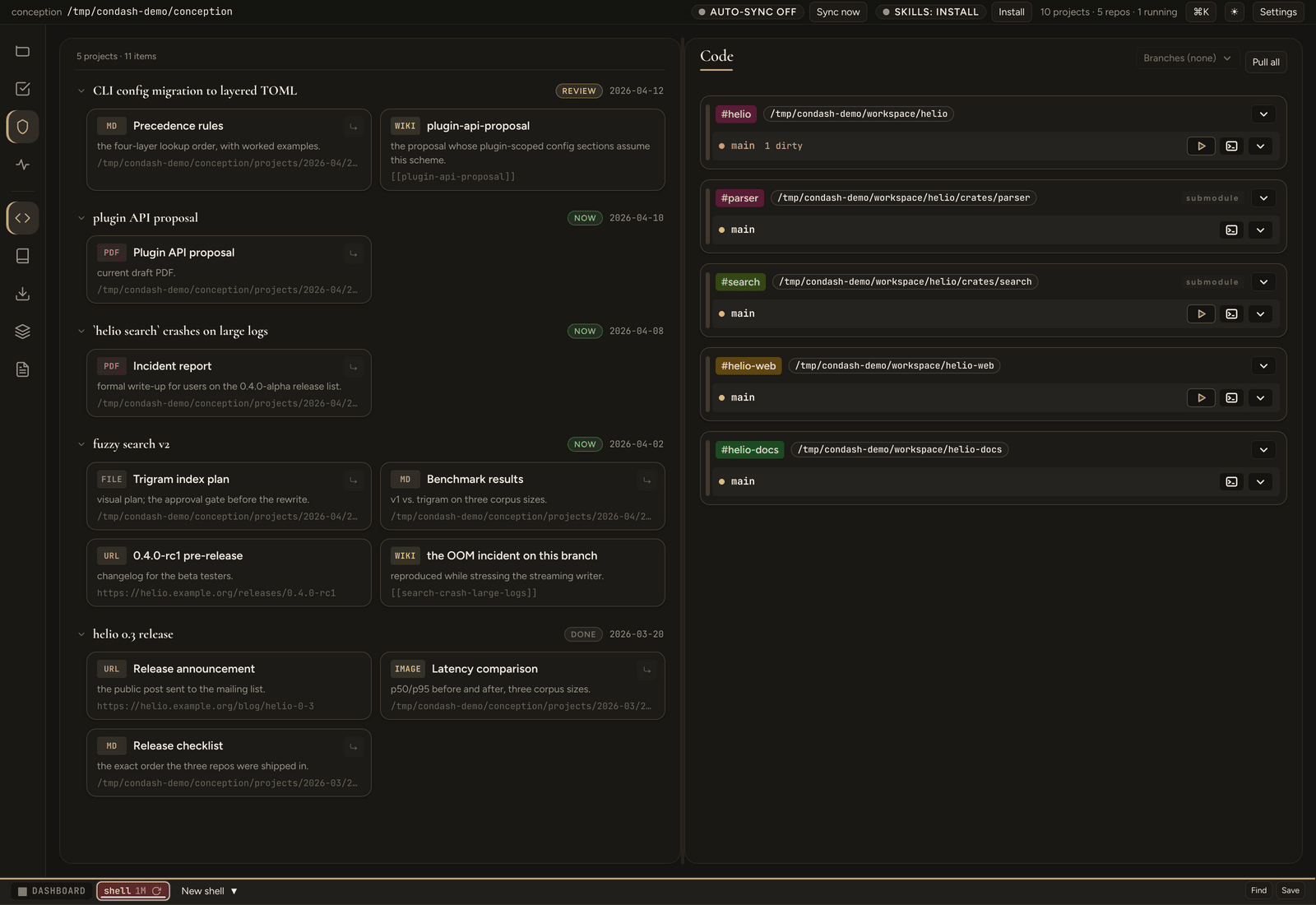
Every project whose README has a ## Deliverables section, grouped by project. A summary line at the top counts what you're looking at — 5 projects · 12 items. Groups are sorted newest-first (the item slug starts with its ISO date, so a descending slug sort is a date sort) and all start expanded. Each group header shows the project title, a status pill, and the date; collapse the ones you're done with.
Former pane screenshots (historical): 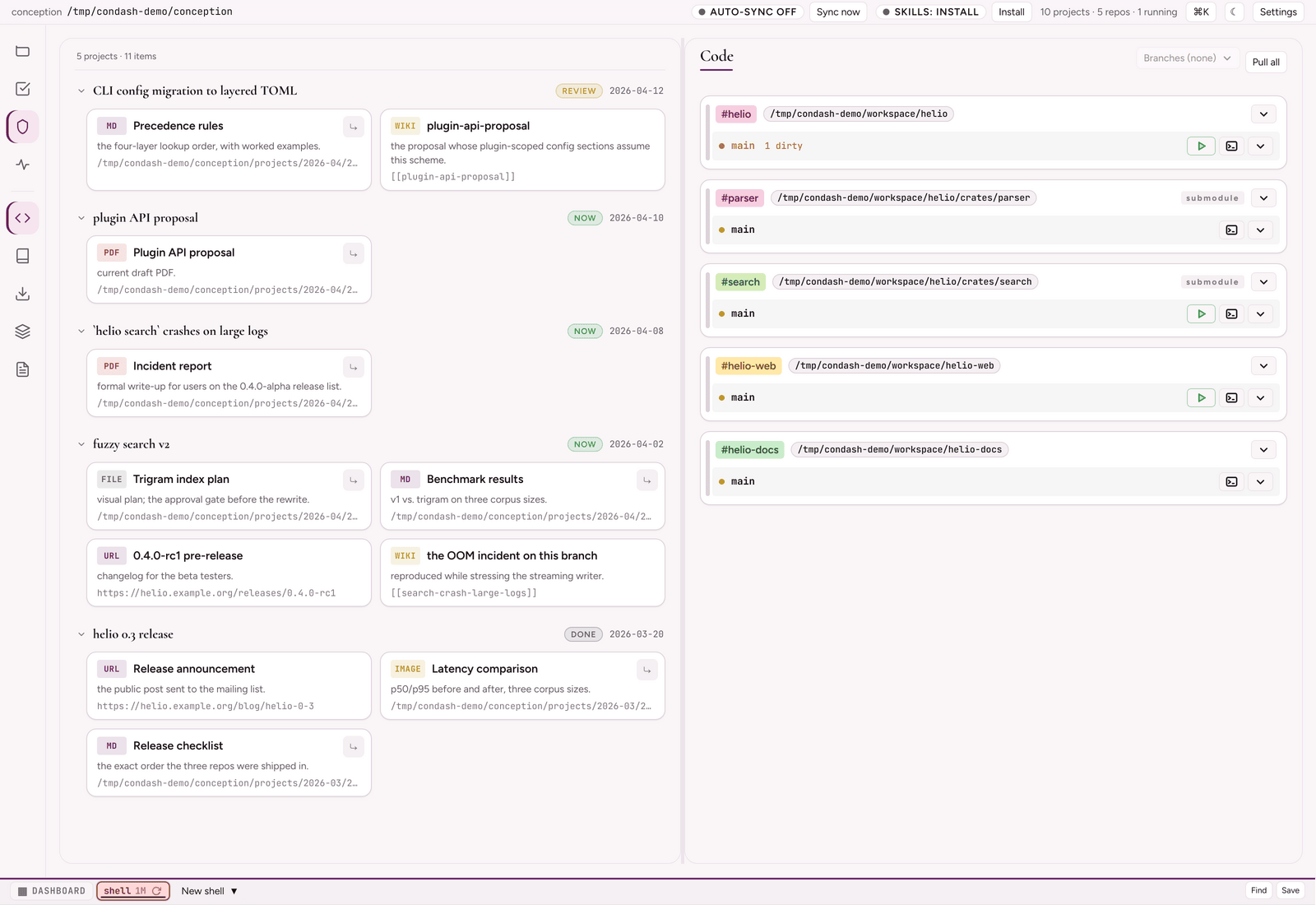
It is parse-only: the pane reuses the deliverables already parsed from each README for the Projects pane — there is no separate filesystem scan and no dedicated outputs/ directory to maintain. A project appears here the moment it links at least one deliverable, and disappears when it links none.
Each deliverable row carries a coarse type tag:
| Tag | Item |
|---|---|
WIKI |
a [[slug]] wikilink to another conception item |
URL |
an external http(s)://… link |
PDF |
.pdf |
HTML |
.html / .htm |
MD |
.md / .markdown |
IMAGE |
.png / .jpg / .svg / … |
FILE |
any other local file |
A trailing comment (after —) is shown next to the label for any item type.
Opening a deliverable
Click a row to open it. The viewer is chosen by type — wikilinks navigate to the linked item within condash; PDF, HTML, images, and text/source files preview in-app; URLs open in your browser; Markdown opens read-only; everything else hands off to your OS default app. See Deliverables for the full table and the HTML-preview relative-asset notes.
Local-file rows (anything that isn't a wikilink or URL) also carry a reveal button (⤷) that opens the file in your OS file manager, selected in its parent folder.
Empty state
When no project links a deliverable, the pane shows a one-line pointer: link artifacts under a project's ## Deliverables.
See also
- Deliverables and PDFs — the
## Deliverablessyntax, accepted item types, and how each opens. - The Resources pane — the conception-global file browser (right slot), distinct from this per-project aggregation.
- Automations (tasks) — the top-bar overlay for reusable prompts; Terminal diagnostics — performance readings from the top-bar Diagnostics button.