The Settings modal
Audience. Daily user.
When to read this. You want to change something — your theme, your shell, the repos on the Code pane, an agent launcher — and you'd rather click than hand-edit JSON. Or you set a value and it didn't take, and you need to understand which file won.
Open it from File → Settings (or Ctrl+,). It's a full-viewport modal, not a popover. Everything it edits is plain JSON on disk — the modal is a convenience over the same two files documented in Config files; nothing here is exclusive to the UI.
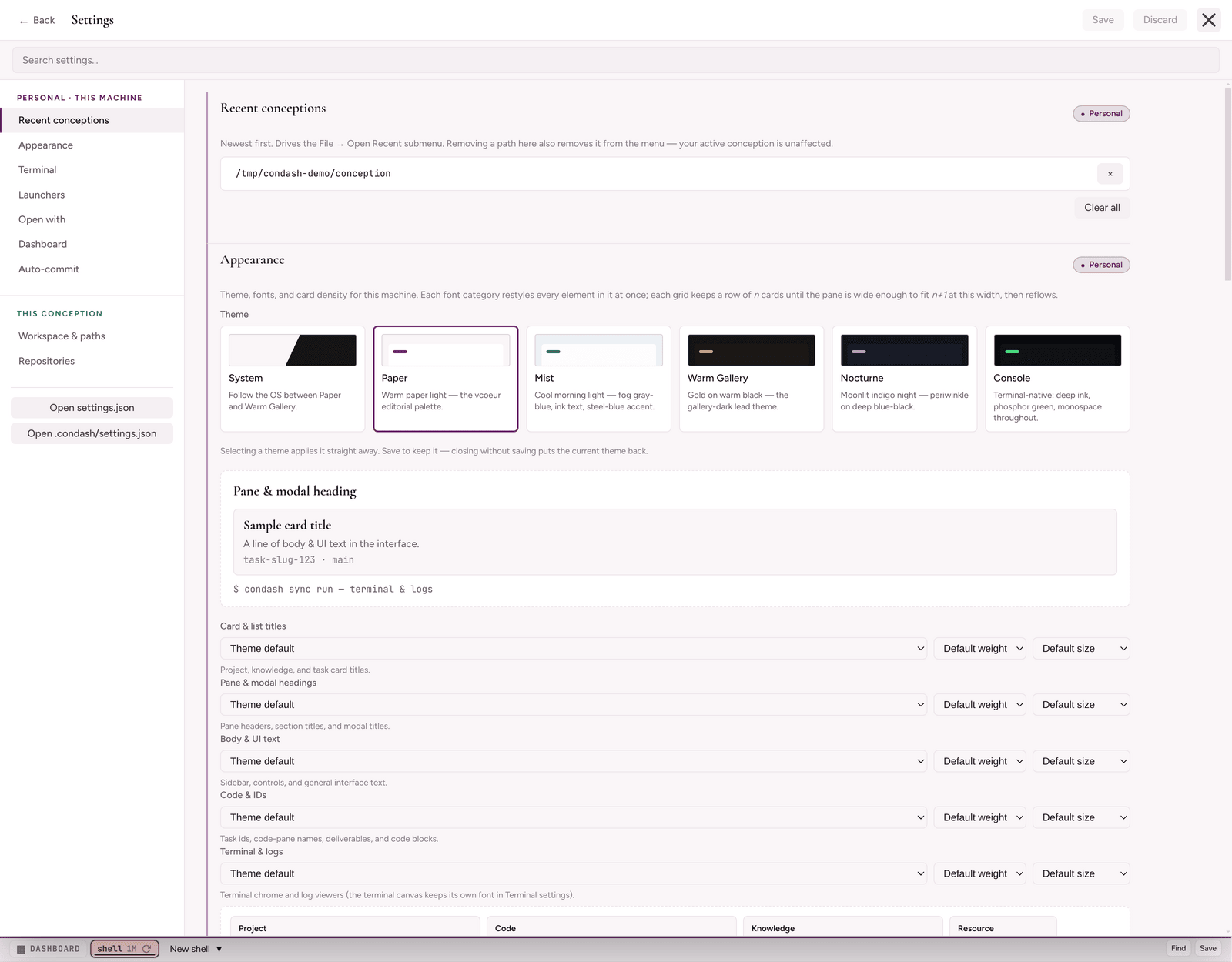
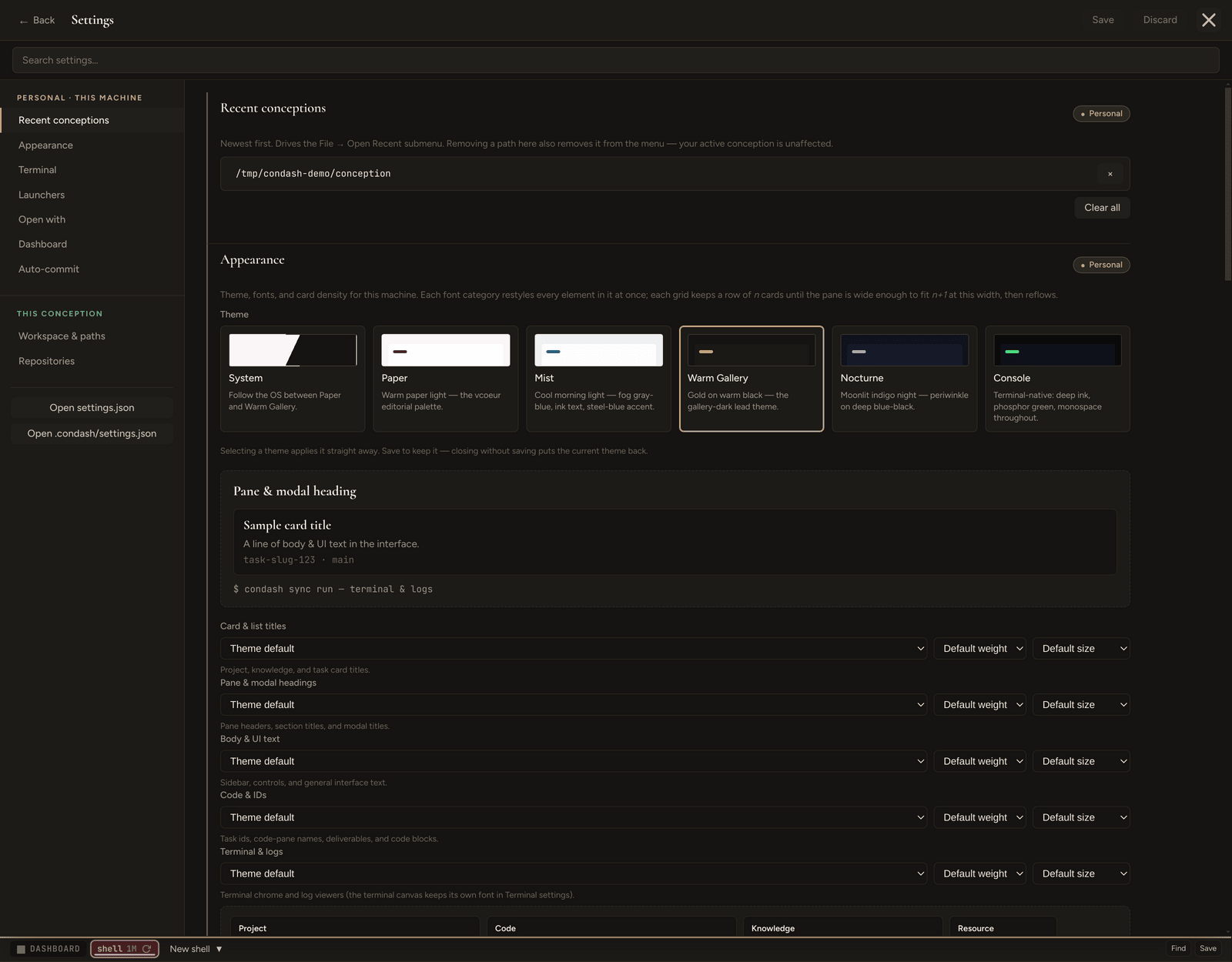
One modal, two files
There are no tabs. The modal is a single scrolling surface; the left rail groups its sections under two scope headers, one per file. Every setting has exactly one home — the two files have disjoint schemas, so a setting is never in both, and there is nothing to override or inherit. The scope header decides which file the sections under it write to:
| Scope group | Writes to | Holds |
|---|---|---|
| Personal · this machine | settings.json in the OS user-data directory (per-machine) |
Everything personal to you and this machine — appearance, terminal, launchers, open-with, the dashboard — plus the active conception path and recents list. |
| This conception | <conception>/.condash/settings.json (per-tree, per-host) |
Only what describes this tree: its workspace / worktree paths, its repo list, and its task config. |
Each section also carries a scope chip naming the file it writes. The active conception path and the recents list are personal-only — they describe your machine, not any one tree.
Which sections live where
The left rail lists every section once, under its scope group:
- Personal · this machine — Recent conceptions · Appearance · Terminal · Launchers · Open with · Dashboard · Auto-commit
- This conception — Workspace & paths · Repositories
Below the rail sit two buttons — Open settings.json and Open .condash/settings.json — that hand the raw file to your OS default editor for that file type (not $EDITOR; this is shell.openPath, so it's whatever your desktop opens a .json with).
| Section | Scope group | Config key(s) | Guide |
|---|---|---|---|
| Recent conceptions | Personal | (managed outside the file) | Configure the conception path |
| Appearance | Personal | theme, uiFonts, cardMinWidth |
— |
| Terminal | Personal | terminal |
Embedded terminal |
| Launchers | Personal | agents |
Agent CLIs and model providers |
| Open with | Personal | open_with |
Repositories and open-with launchers |
| Dashboard | Personal | dashboard |
The Dashboard |
| Auto-commit | Personal | autoSync |
Auto-commit |
| Workspace & paths | This conception | workspace_path, worktrees_path, long_lived_branches |
Repositories and open-with launchers |
| Repositories | This conception | repositories |
Repositories and open-with launchers |
App identity (#handle, retired_apps, aliases) is edited inline in the Repositories section — see Applications and handles.
Finding a setting
A Search settings… box sits directly under the modal header, above the rail and the scrolling surface. Type into it and every field across both files is filtered live; a × on the right clears it. This is the fastest way into the modal — you rarely need to know which section owns a key, only roughly what it's called.
One home per setting — no inheritance
Because the two files have disjoint schemas, there is no override and no inheritance: a setting reads from its one owning file, full stop. There are no inheritance badges, no Reset to global buttons, and no per-conception diff view — all of that went away with the scope-partition revamp. A setting written to the wrong file by an older condash is relocated to its owning file automatically the next time you open the conception (see Config files → Scope-partition migration).
A small dirty pip next to a section label means that section has unsaved edits. Stage as many edits as you like across both files, then Save to flush them to disk (each file through its own atomic CAS write) or Discard to drop them. The rail highlights whichever section is currently in view as you scroll.
Closing the modal with staged edits — Esc, the ×, or a backdrop click — raises a Save before closing? confirmation offering Keep editing, Discard and close, and Save and close. Unsaved work is never dropped silently.
What it does not edit
Some keys are written by the app as you use it, or carried for round-trip only, and have no Settings section:
- Layout and UI state —
layout,selectedBranches,branchFilterStickyAll,treeExpansion,skillsActiveScope. - Welcome-screen dismissal —
welcome. - Conception path tracking —
lastConceptionPathandrecentConceptionPaths(the Recent conceptions section shows the list but the file is managed outside the modal). pdf_viewer— present in the schema and preserved across saves, but not surfaced and not currently consumed. See Deliverables and PDFs.retired_appsandtaskConfig— conception keys written bycondash applicationsand by the Automations surface respectively.
For the exhaustive key list, see Config files → All config keys.
→ Prefer editing the JSON directly? Every key, with defaults and which file owns it, is in Config files.